Detection Lab — Suricata, TLS Decryption, and DMZ Architecture
This project is a network monitoring and intrusion detection setup designed to inspect traffic between the internet and a web server hosted in a DMZ. The goal is to perform deep inspection on inbound traffic by decrypting HTTPS and routing the resulting HTTP traffic through a Suricata inline IPS.
Network Architecture
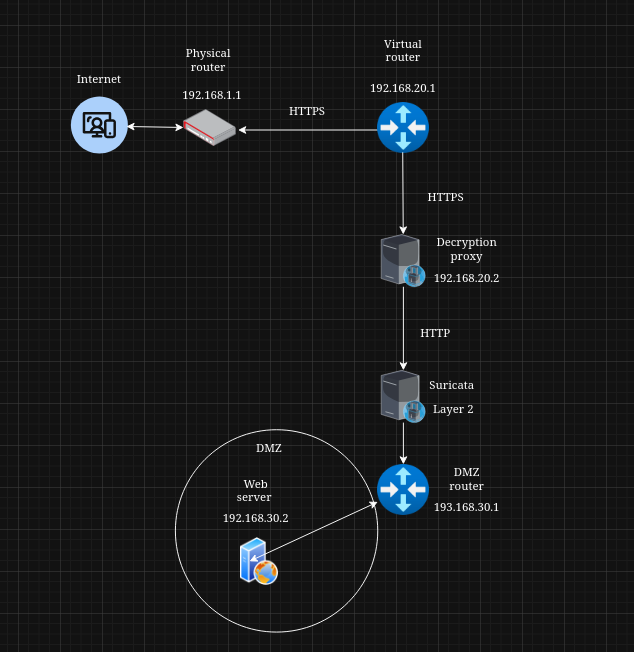
Traffic from the internet reaches a physical router, which forwards all packets destined for my public domain into a virtual OPNsense router. This virtual router is isolated and cannot access any internal networks. It forwards HTTPS traffic to a TLS decryption proxy. Once decrypted into HTTP, the traffic passes through a Suricata Layer 2 inline IPS before reaching a final router that leads into the DMZ containing the web server.
TLS Decryption Proxy Configuration
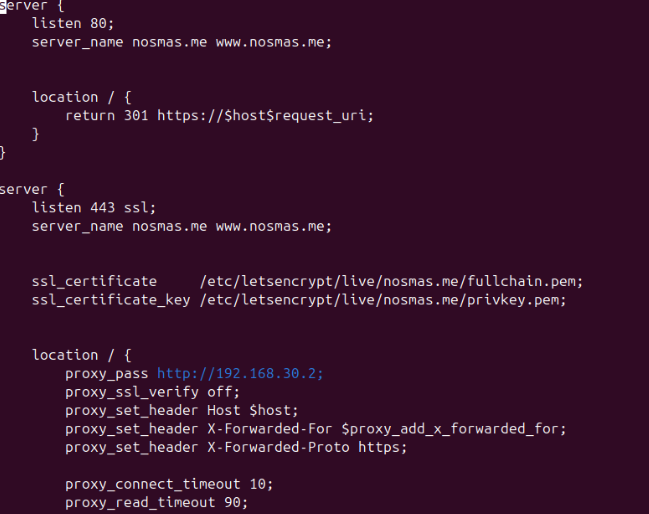
The TLS decryption proxy terminates inbound HTTPS requests, rewrites headers, and forwards the resulting HTTP traffic to Suricata. Below is the configuration used for decryption and forwarding.
Suricata Inline Inspection
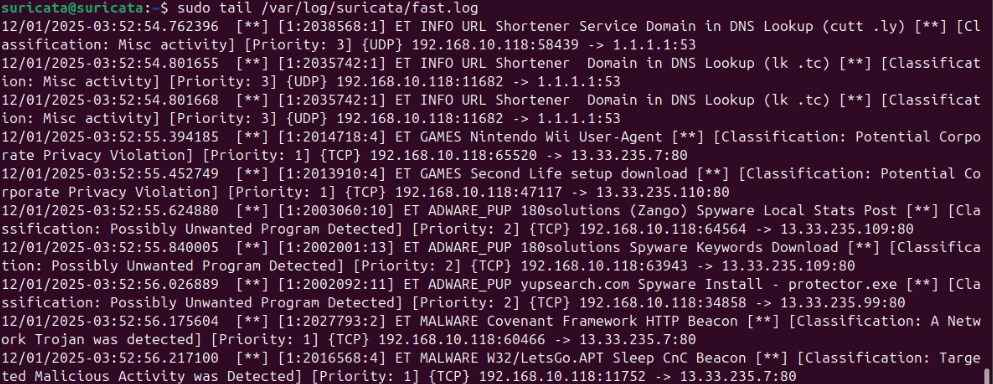
Suricata operates in inline mode, receiving plain HTTP traffic from the proxy. Using the test suite from testmynids.org, all signature tests correctly triggered alerts in Suricata. This confirms that decrypted traffic is being inspected end-to-end and that IPS functionality is active.
Current Limitation
At this stage, only inbound traffic is decrypted and inspected. Outbound HTTPS from the web server is not visible to Suricata, which introduces a blind spot. If the server were compromised and attempted to establish an HTTPS C2 connection, the current setup would not detect it.
Next Steps
The next part of this project will introduce a second TLS decryption proxy for outbound traffic, allowing full inspection of both inbound and outbound flows. The server will also receive a host-based detection layer using Wazuh EDR and integrate logs from suricata to Wazuh manager.